Keep the good stuff.
Choose the channels you want in each saved guide. Rename and reorder them without losing your place in the larger catalog.
 GuideFeed75
YOUR TV. IN ORDER.
Make a little order out of a lot of channels.
Turn compatible, lawful TV sources into a guide that feels like yours. Keep what you watch, give it a home, and find it again without the endless hunt.
Android TV · Google TV · Compatible Fire TV
LESS CLUTTER. YOUR CHOICES.
Start with a category. Open a subcategory. There are the channels you meant to find.
Create your own folders, name them your way, and move channels where they make sense. A family guide, a weekend guide, or just your everyday essentials.
See the subcategory screenshotYour labels. Your order. Your kind of TV.
Choose the channels you want in each saved guide. Rename and reorder them without losing your place in the larger catalog.
Star the channels you come back to. Open Favorites to reach your shortlist while keeping each channel in its original folder.
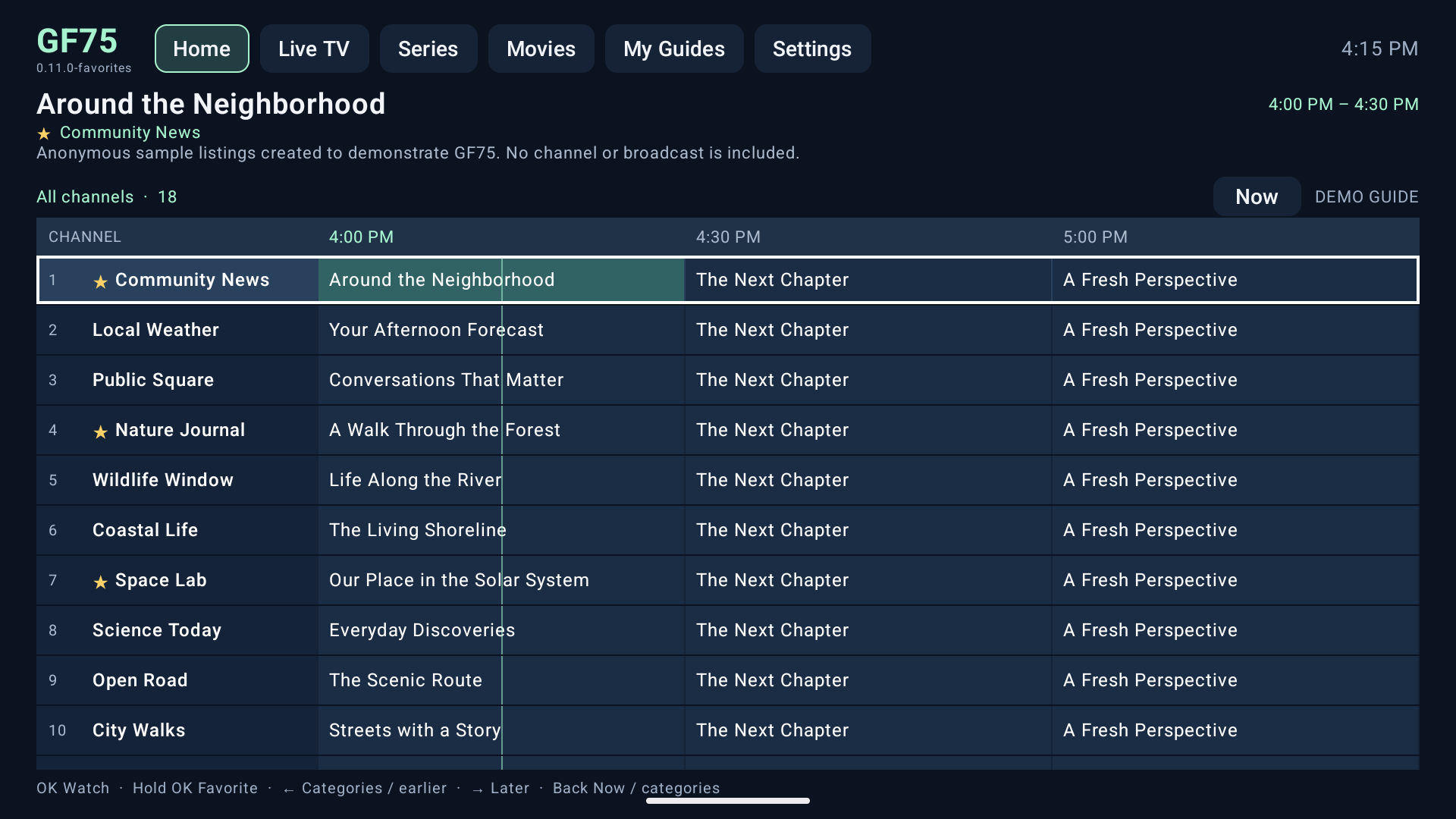
Browse upcoming programs in a time-based guide when your source supplies listings. Move through it with your TV remote.
THE PLAN FOR LAUNCH
Seven days with every feature, then one year of full player and guide access.
We’re in preview. The current download is free; paid checkout and the seven-day trial are not active yet.
READY FOR YOUR TV
Open Downloader by AFTVnews on your compatible TV device and enter:
Enter 4126837 in Downloader and select Go.
If your TV asks, allow Downloader to install unknown apps in Settings. Return and select Install.
Open GF75. Add your compatible, authorized source, choose your channels, and organize your guide.
A FEW GOOD QUESTIONS
No. GF75 provides the player and organization tools. It does not include a TV subscription, channel package, playlist of working streams, or access rights. You supply a compatible source that you are authorized to use.
Yes, when the source permits playback in another player and provides a compatible playlist or stream. Not every free TV app or website does. GF75 does not unlock protected services or bypass access restrictions.
GF75 is an Android app designed for Android TV and Google TV, including onn and NVIDIA Shield, with Android 6 or newer. Compatible Android-based Fire TV devices need Fire OS 6 or newer. Device compatibility still needs broader testing.
Samsung Tizen, LG webOS, Roku, Apple TV, and Amazon Vega OS cannot install this APK. Use a compatible streaming device connected by HDMI.
Yes. They show the actual GF75 app running in an emulator with anonymous, fictional channel names and program listings. They demonstrate the layout and folders, not a channel package or an available broadcast. No private provider data or video footage is shown.
Use the same Downloader code or download address to install a newer release over your existing release and keep your settings. Earlier development builds are separate apps and do not automatically transfer their data.
Not yet. The planned price is $20 USD for a year, after a seven-day full-feature trial. The current preview is free and does not expire. Checkout and account activation are still being prepared.
GF75 is a player and TV-organization service. We do not sell, supply, bundle, recommend, or endorse third-party IPTV services. Only add content and sources you own or are authorized to access. GF75 does not provide content rights or support unauthorized access or copyright infringement.